

Data permission is about how you manage email opt-ins –guests or clients who want to receive promotional material from you. They need to express consent and the Local Booking Manager allows you to insert your own Marketing Consent Policy.
How to Set up Marketing Consent
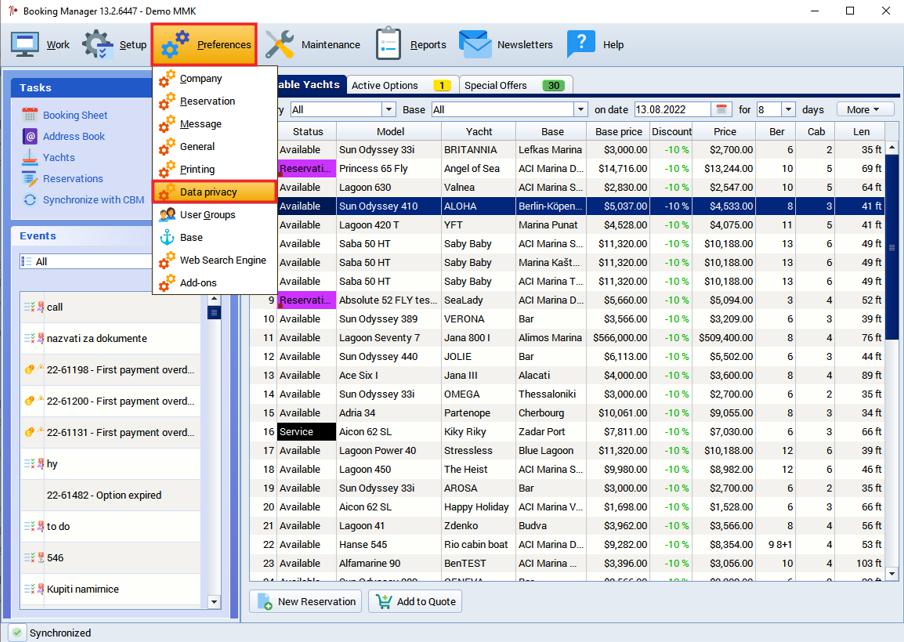
To enter Marketing Consent you need to go to Preferences > Data privacy
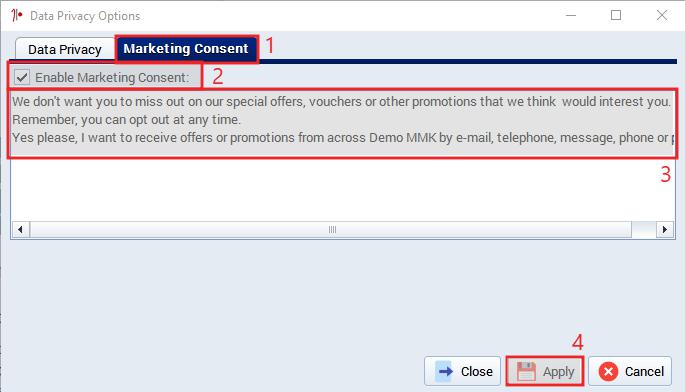
Once you have accessed the settings
- Click on enable Marketing Consent
- Mark checkbox Enable Marketing Consent
- Paste your text in the field
- Press Apply
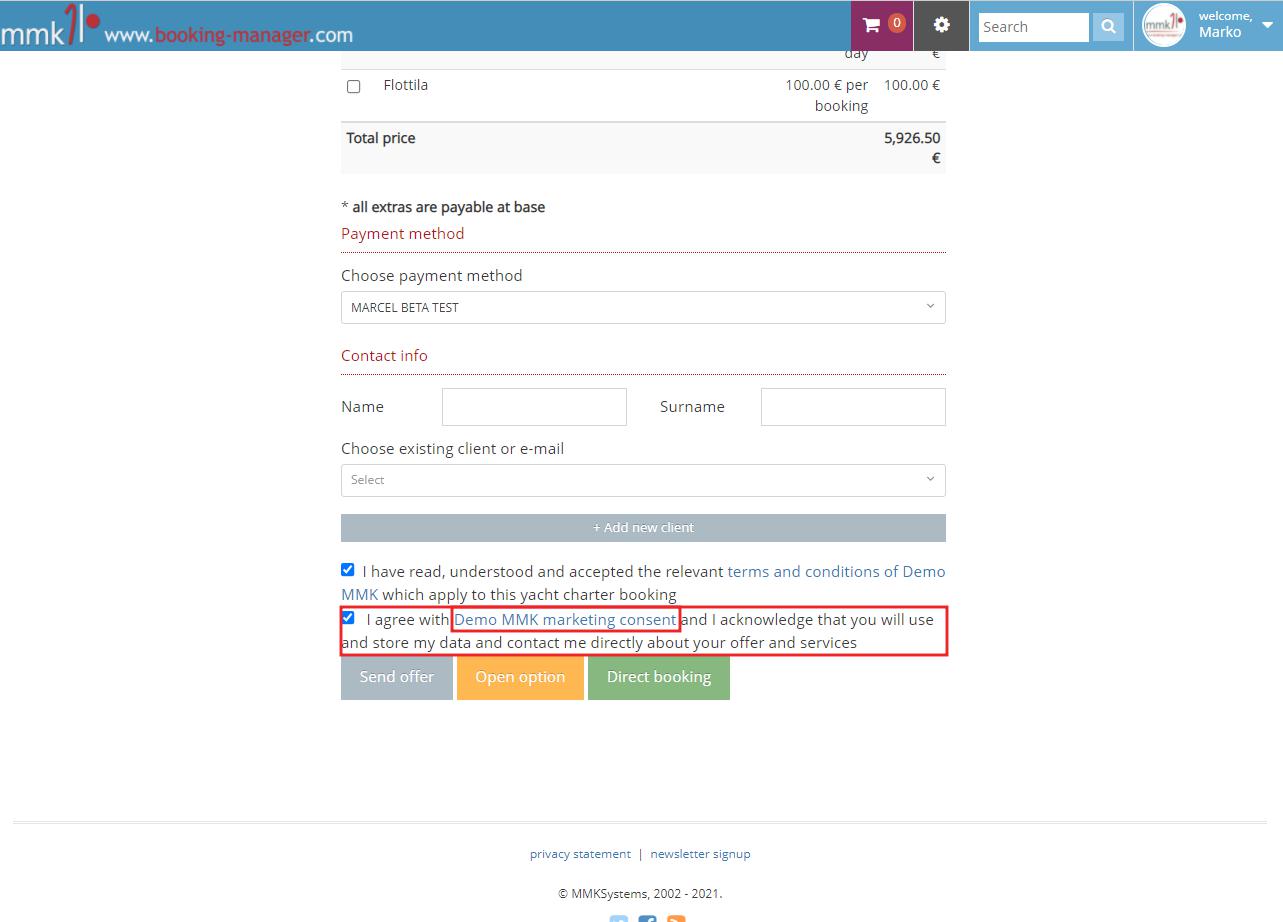
Example on how Marketing Consent agreement looks on the booking page
Comments
0 comments
Please sign in to leave a comment.